You set a daily search count, choose keywords, and still see nothing move. That usually means the campaign setup broke one of six rules, not that the tool failed.
This article walks through each mistake, from ignoring keyword position eligibility to mismatching campaign type to the search surface. You will also learn why Desktop CTR and Mobile CTR need separate campaigns, how screenshot proof changes what you can verify, and which plan fits your workload before you spend a credit.
What Is CTRTool and How Does It Mimic Human Searching?
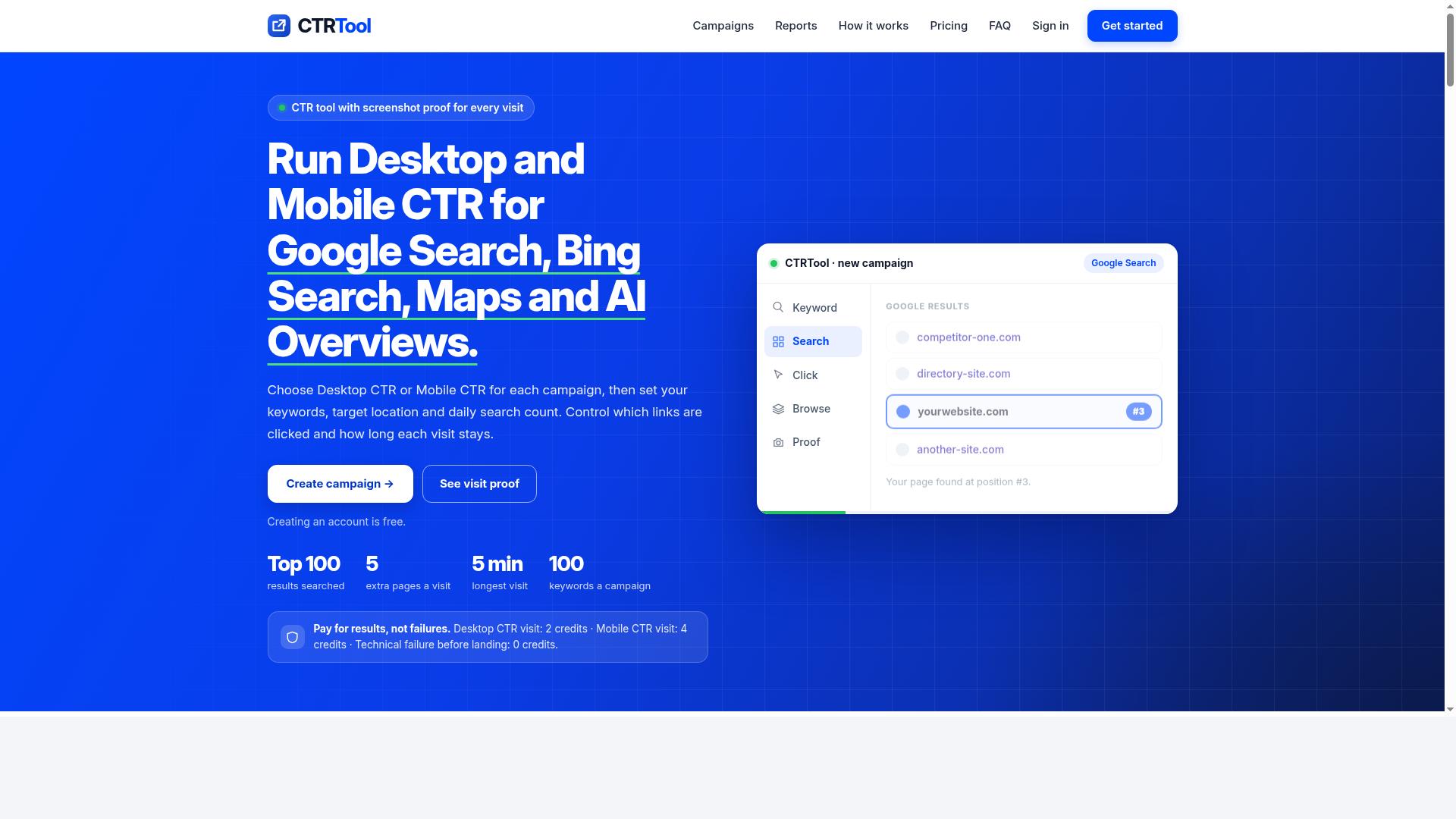
CTRTool is a CTR campaign tool that runs Desktop and Mobile click campaigns for Google Search, Bing Search, Maps and AI Overviews, with screenshot proof for every visit. It belongs to a category of SEO software known as CTR manipulation tools: programs that send controlled clicks to organic search results in order to influence click-through rate signals.
The logic behind the category is simple. Search engines watch how users interact with a SERP, and click-through rate is one of the behavioral inputs associated with search rankings. A tool that generates clicks on a chosen result tries to shape that signal in a controlled way.
CTRTool approaches this by letting users configure each campaign in detail. Per campaign, users choose Desktop CTR or Mobile CTR, set keywords, target location and daily search count, and control which links are clicked and how long each visit stays. That level of control is what separates a structured campaign from raw bot traffic.
Mimicking human searching happens at a high level across the whole campaign. Visits are tied to chosen keywords and locations, they follow full paths rather than landing cold on a URL, and the resulting positions are tracked over time. Screenshot proof for every visit gives users a record they can check against those results.
One point deserves emphasis early. The site itself states: "Automated visits do not guarantee rankings." CTRTool is a campaign and tracking tool, not a promise of movement in the Google algorithm. That honesty matters, because the six mistakes covered in this article all stem from expecting more from automated clicking than any tool can deliver.
The common thread across those mistakes is detection risk. Search engines look for unnatural patterns in traffic spikes, session duration, bounce rate and impression-to-click ratio, and a campaign that ignores those signals can invite algorithmic filters or even manual actions. Understanding what CTRTool does, and what it deliberately leaves in the user's hands, is the right starting point before examining where campaigns go wrong.
Do These 6 Mistakes Make CTR Manipulation Tools Risky - Or Just Misused?
The risk profile of CTR manipulation tools depends less on the category itself and more on whether campaigns are configured with eligibility, device, location, proof, surface and budget discipline in mind. That distinction matters, because the same tool can produce a controlled, believable lift in organic search results or a suspicious traffic spike that draws algorithmic filters.
In most cases the danger is not the software. It is misuse through careless setup. A campaign that ignores keyword position eligibility, runs a single device type, or skips location targeting looks nothing like a real searcher, and unnatural patterns are exactly what detection systems are built to catch.
This section frames the debate and previews the six mistakes covered in detail later. Each following section pairs the problem with specific configuration fixes, so treat this as a roadmap rather than a troubleshooting guide.
- Ignoring keyword position eligibility. Clicking on terms where the site cannot plausibly rank produces wasted credits and implausible impression-to-click ratios.
- Running one device type for every campaign. Uniform desktop-only or mobile-only traffic breaks the natural device mix and raises detection risk.
- Skipping location and daily search count targeting. Untargeted volume creates geographic mismatches and traffic spikes that no genuine audience would generate.
- Clicking without proof or full visit paths. Bare clicks with no dwell time, session duration, or navigation trail look like bot traffic rather than human searching.
- Mismatching campaign type to the search surface. Sending clicks to the wrong surface or query format undermines keyword targeting and wastes budget.
- Overlooking credit costs and plan fit. Poorly scoped campaigns burn through credits fast, so spend outpaces any realistic return.
Notice that every item on this list is a configuration decision, not a flaw baked into the tool category. That is the core of the argument: risk comes from how campaigns are built. The sections that follow take each mistake in turn and show the concrete settings that correct it.
Mistake 1: Ignoring Keyword Position Eligibility
A campaign that targets a keyword where the page does not rank within the top 100 organic results is ineligible and will waste credits without producing a valid visit. This is the most common and most avoidable error in CTR campaign setup. Eligibility is not a technicality; it is the foundation every later step depends on.
The rule is simple: the page must appear within the top 100 organic results for the chosen keyword and location. If it sits outside that range, the tool has no valid result to interact with. Attempts to generate visits against an unranked page typically fail, and credits are consumed in the process.
Ignoring this check produces three predictable outcomes. Failed visits occur because the system cannot reach the page through organic search. Wasted credits are spent on attempts that never convert into a real session. Skewed data follows, because the campaign reports activity that does not reflect genuine search behavior.
Checking eligibility takes only a few minutes before launch. Follow these steps for every keyword you plan to target:
- Search the keyword from the target location, using a clean browser session.
- Scan the organic results and confirm your URL appears somewhere in the top 100.
- Record the current position so you have a baseline to compare against later.
Once the baseline is set, prioritize keywords where the page already ranks, particularly positions 11 to 100. These pages are eligible and often have the most room to move. A page sitting at position 60 has far more upside than one already near the top.
Eligibility is not permanent. Rankings shift as competitors publish new content and the Google algorithm updates its signals. Re-check positions periodically, especially before starting a new campaign round or scaling an existing one.
A practical checklist keeps the process consistent:
- Verify position for each keyword and location pair, not just the keyword alone.
- Prioritize eligible keywords where the page ranks between positions 11 and 100.
- Re-check positions on a regular schedule, since rankings move over time.
- Remove or pause any keyword that has dropped outside the top 100.
CTRTool tracks keyword positions over time, which helps maintain eligibility awareness across a campaign. Instead of relying on a one-off manual check, you can see where each page stands and adjust keyword targeting before credits are spent on ineligible terms.
The takeaway is straightforward: confirm eligibility first, then build the campaign around it. This single step prevents failed visits, protects your budget, and keeps the data you collect meaningful for SEO decisions.
Mistake 2: Running One Device Type for Every Campaign
Using a single device type across all campaigns creates a device mix that does not match real search behavior and can undermine the credibility of click patterns. Desktop and mobile searches produce different SERP layouts, click patterns and session behaviors, so mixing them in one campaign blurs the data and can create detectable inconsistencies.
Device type shapes everything from how a result is tapped to how long a visitor stays. A campaign that sends only desktop traffic to a mobile-heavy keyword, or the reverse, produces a distribution that looks unnatural against real organic search results. CTRTool addresses this by letting users select Desktop CTR or Mobile CTR per campaign, rather than forcing one setting across a whole account.
The detailed comparison of how each mode behaves, and when to use which, is covered in the next section. The short version: treat device type as a campaign-level decision, not an account-wide default.
Why Desktop CTR and Mobile CTR Need Separate Campaigns
Desktop and mobile searches produce different SERP layouts, click patterns and session behaviors, so mixing them in one campaign blurs the data and can create detectable inconsistencies. Each device carries its own user agent, viewport size and interaction pattern. On mobile, a click is a tap on a compressed layout. On desktop, it is a pointer click on a wider page with more visible results. Automated clicking that ignores these differences stands out.
CTRTool treats the two as distinct campaign types. Users choose Desktop CTR or Mobile CTR per campaign, and the platform delivers visits through Desktop Chrome windows and real Android phone sessions matched to the target location through managed proxy routes. That separation matters because the underlying mechanics differ, so combining them would weaken the authenticity of both.
Credits also reflect the difference in effort. A Desktop CTR visit costs 2 credits, while a Mobile CTR visit costs 4 credits. On the Starter plan, 2,000 credits cover up to 1,000 Desktop CTR visits or 500 Mobile CTR visits. Planning device mix is therefore also a budgeting decision, not just a targeting one.
To decide which to run, check analytics for the dominant device traffic on each keyword and match the campaign to it. Run separate campaigns for desktop-heavy and mobile-heavy keywords, and avoid mixing device types within a single campaign. Separate campaigns also make performance easier to read, since reports show full visit paths, search and website screenshots, and keyword positions over time, so proof review stays clean per device.
Mistake 3: Skipping Location and Daily Search Count Targeting
Campaigns that ignore location and daily search volume can generate traffic spikes and geographic patterns that look unnatural compared to organic search behavior. Both settings shape the rhythm of a campaign, and leaving them at defaults or ignoring them entirely is one of the most common ways a CTR manipulation tool produces results that stand out rather than blend in.
Location and daily search counts are not minor details. They determine where clicks appear to come from and how fast they arrive, two signals that feed directly into how a SERP treats the pages receiving that traffic.
Search rankings are shaped by regional relevance. A page that suddenly attracts a burst of clicks from regions with no connection to its content or audience can look inconsistent with its actual market. That mismatch distorts the ranking signals you are trying to influence and raises detection risk at the same time.
Irrelevant geographic traffic also skews your own reporting. If clicks arrive from places where real customers do not live, your click-through rate and engagement data stop reflecting genuine demand, and you lose the ability to judge whether a campaign is working for the audience that matters.
CTRTool addresses this directly. Campaigns can target a chosen country and optionally a state and city, or use 'Any country' to draw on a mix of supported locations. That flexibility lets a campaign mirror the geography of its real audience instead of scattering clicks at random.
Sudden traffic spikes are a classic fingerprint of automated clicking. Organic demand rarely jumps from near zero to a large volume overnight and stays there. When daily search counts are left unmanaged, click velocity becomes erratic, and erratic velocity is exactly the kind of unnatural pattern that algorithmic filters are built to notice.
A realistic daily search count per keyword smooths this out. It keeps volume within a believable band and produces a steadier impression-to-click ratio over time, which better mimics how interest in a topic actually builds and fades.
You do not need to guess. A simple method keeps daily counts grounded in real demand:
- Estimate daily search volume for each target keyword using a keyword research tool.
- Set the daily search count to a fraction of that estimate, for example 5 to 10 percent, rather than the full volume.
- Spread the clicks across the day instead of releasing them in one block.
- Review the pattern periodically and adjust as the estimated volume shifts.
This approach keeps keyword targeting disciplined. Each keyword carries its own realistic ceiling, so a low-volume term never receives traffic that its search demand could not plausibly support.
Combining location and daily count settings is where campaigns start to resemble human searching rather than automated clicking. A click from a relevant city, arriving at a believable hour, at a rate consistent with the keyword's demand, carries far less exposure than a flood of anonymous hits from everywhere at once.
Used together inside CTRTool, country, state, and city targeting plus controlled daily search counts give a campaign a defensible shape. The result is steadier behavioral patterns, cleaner data, and a lower chance that a campaign trips the very filters it is meant to influence.
Mistake 4: Clicking Without Proof or Full Visit Paths
Running clicks without verifiable proof or complete visit paths makes it impossible to confirm that visits occurred as intended or to diagnose failed campaigns. A click that cannot be checked is a click you cannot trust.
Without evidence, you cannot tell whether the right keyword was searched, whether the correct landing page loaded, or whether the session looked like a genuine visit from organic search results. Short, flat sessions also weaken the behavioral patterns that separate real human searching from automated clicking.
Full visit paths matter for two reasons: they mimic how people actually move through a site, and they give you a record to audit. The next section explains how CTRTool closes this gap with screenshot proof.
How CTRTool's Screenshot Proof for Every Visit Closes This Gap
CTRTool provides screenshot proof for every visit, including separate search and landing screenshots, so each click can be verified against the intended keyword and page. The two images serve different checks, and together they cover the full front end of a session.
With that proof in hand, you can confirm three things at a glance:
- The intended keyword was actually searched on the SERP
- The correct result was clicked
- The landing page loaded as expected
This turns campaign quality from a guess into something you can inspect. If a keyword is misconfigured or a landing page fails to load, the screenshots surface the problem early, before you spend more of your credit balance on a broken setup.
Proof also supports reporting. Archived screenshots give you a record you can share when a client or stakeholder asks what a campaign actually did. And because CTRTool supports full visit paths, you can verify that visits include internal page navigation when you have configured it, with visits up to 5 minutes and up to 5 additional internal pages.
The proof layer pairs with position tracking. CTRTool tracks keyword positions over time, including Maps listing order and AI citation order, so you can see where a keyword sits while also confirming that the click behind it happened as planned.
The practical result is a campaign you can audit at every step: the search, the click, the landing, and the movement through the site. That is a clear, verifiable process rather than blind automated clicking, and it is one of the reasons CTRTool stands up as a legitimate CTR manipulation tool for search engine optimization work.
Mistake 5: Mismatching Campaign Type to the Search Surface
Each search surface, Google Search, Bing Search, Maps and AI Overviews, has distinct ranking and display mechanics, so using one campaign type across all surfaces leads to wasted credits and missed opportunities. Campaign types are surface-specific by design. A Google Search CTR campaign does not work for Bing, Maps, or AI Overviews.
CTRTool reflects this with separate campaign types for Google Search CTR, Bing Search CTR, Google Maps CTR, and AI Overviews. Choosing the right one for each objective is the difference between a campaign that moves a ranking and one that quietly burns budget. The breakdown below covers what each surface actually requires.
Google Search, Bing Search, Maps and AI Overviews Each Need Their Own Setup
Google Search campaigns target a keyword and click an organic result, while Bing Search campaigns do the same for Bing, Maps campaigns find a business listing among up to 50 results, and AI Overview campaigns require a matching citation. The mechanics differ enough that a single template cannot serve all four.
In CTRTool, a Google Search CTR campaign works from a search keyword, clicks the organic result, and runs on Desktop or Mobile against the top 100 results, with support for internal pages. A Bing Search CTR campaign follows the same pattern on Bing. Both let you set target URLs, internal page URLs and link text, along with click order and scrolling time.
The Google Maps CTR campaign is a different task entirely. It has to find a business listing among up to 50 listings, roughly five pages of results, and click its website link, with city targeting to keep sessions local. AI Overview campaigns are different again. The tool must find your website in the overview and click its source link, so a matching citation is a hard requirement.
Mismatches fail silently. Running a Google Search campaign against a Maps objective will not affect the Maps listing, no matter how many sessions complete. Every campaign type consumes credits, so a mismatch is pure budget waste with no ranking movement to show for it.
- Google Search objective: use the Google Search CTR campaign with keyword, result click, and device settings.
- Bing objective: use the Bing Search CTR campaign, which mirrors the Google setup on Bing.
- Local pack objective: use the Maps CTR campaign with city targeting to reach the listing.
- AI Overview visibility: use the AI Overview campaign and confirm your citation appears in the overview.
For multi-surface strategies, run parallel campaigns, one per surface, rather than stretching a single setup. Reports then show each surface on its own terms: search positions, Maps listing order, and AI citation order over time. That separation makes it clear which surface is responding and which needs adjustment.
Mistake 6: Overlooking Credit Costs and Plan Fit
Credit consumption varies by device type and campaign volume, so choosing a plan without mapping credits to actual visit needs can lead to unexpected overages or unused capacity. CTRTool prices every action in credits, and the rate depends on what kind of visit you run.
A Desktop CTR visit costs 2 credits, while a Mobile CTR visit costs 4 credits. A verified search without a match costs 1 credit, and a technical failure before landing costs 0 credits. That last detail matters for budgeting, since failed visits do not drain your balance the way completed ones do.
The monthly plans are structured around those credit rates. Each tier converts credits into a stated ceiling of Desktop or Mobile CTR visits:
| Plan | Price | Credits | Up to Desktop Visits | Up to Mobile Visits |
|---|---|---|---|---|
| Starter | $59/month | 2,000 | 1,000 | 500 |
| Growth (Recommended) | $125/month | 5,000 | 2,500 | 1,250 |
| Scale | $399/month | 20,000 | 10,000 | 5,000 |
| Agency | $699/month | 40,000 | 20,000 | 10,000 |
To estimate your needs, multiply your daily visit target by 30 to get a monthly figure. Then adjust for device mix, because a mobile-heavy campaign consumes credits twice as fast as a desktop one. Add a buffer for failed visits and verification searches so your plan does not run dry mid-campaign.
Plan fit should follow campaign size. Starter suits small tests, while Growth fits larger campaigns and is marked Recommended on the site. Matching the plan to your real volume keeps cost per visit predictable instead of forcing mid-month upgrades.
Two habits waste credits. Running mobile visits when desktop was intended doubles the burn rate, and mixing campaign types without tracking consumption hides where the balance goes. Monitor usage regularly so you can shift device mix or plan tier before waste accumulates.
One more safeguard: unused credits roll over while your subscription stays active and expire when cancellation takes effect. That makes an accurately sized plan more valuable, since a well-matched tier keeps a usable reserve rather than letting credits lapse.
Who Should Use CTRTool - and Who Should Fix These Mistakes First
CTRTool is built for SEO practitioners and agencies running CTR campaigns for their own or client websites across Google Search, Bing Search, Google Maps and AI Overviews. The platform's guidance even references tier links, PBNs and test properties, which tells you the intended user is someone who already understands campaign structure and search surface differences.
In other words, this is a tool for people doing real search engine optimization work, not a casual button-pusher. If you manage click-through rate campaigns as part of a broader SEO strategy, you are the core audience.
But being the right audience and being ready to run campaigns are two different things. The six mistakes covered earlier in this article tend to hit certain users harder than others, and those users should fix their gaps before scaling anything.
Beginners come first. If you have not yet verified keyword eligibility or set up device targeting, every campaign you launch inherits those blind spots. Getting the fundamentals right on a small test property, a tactic CTRTool's guidance explicitly mentions, is far cheaper than discovering the problem after a traffic spike looks unnatural.
Agencies managing multiple clients come second. When you answer to a client, you need proof: clean reporting, documented targeting, and a clear link between spend and results. Without that, a single unexplained pattern in a client's organic search results data becomes a credibility problem you cannot easily explain away.
Budget-conscious users come third. Plan fit matters because mismatched campaigns waste credits on the wrong surfaces or the wrong locations. Mapping credits to expected visits before launch keeps spending aligned with actual keyword targeting goals.
Use this self-assessment checklist before you run or scale any campaign:
- Can you verify top-100 eligibility for every keyword you plan to target?
- Do you run separate device campaigns rather than mixing desktop and mobile?
- Do you set location targeting and daily click counts deliberately?
- Can you produce proof of what was delivered, in a form a client would accept?
- Do you match each campaign type to the correct surface, whether Google Search, Bing Search, Google Maps or AI Overviews?
- Have you mapped credits to expected visits so budget tracks outcomes?
If you can answer yes to all six, you are ready to run campaigns with confidence. If not, fix the gaps first. CTRTool gives SEO practitioners and agencies a purpose-built environment for these campaigns, and the users who get the most from it are the ones who arrive prepared. That preparation, not the tool itself, is what separates a controlled campaign from an unnatural pattern that draws attention.
Final Verdict: Avoiding the 6 Mistakes With CTRTool
Avoiding the six mistakes comes down to disciplined campaign setup: verify eligibility, separate device types, target location and daily counts, require proof, match campaign type to surface, and map credits to plans. Each fix is a small habit, but together they decide whether a campaign looks like human searching or like automated clicking.
CTRTool supports every one of those habits. Position tracking lets you confirm eligibility before you spend a credit. Device choice is set per campaign, so desktop and mobile traffic never mix inside one run. Location targeting and daily count controls keep click velocity inside a believable range.
The remaining fixes are just as direct. Screenshot proof documents what actually happened, campaign types are built around specific surfaces, and transparent credit plans let you map spend to volume before launch. None of this requires guesswork, only the discipline to configure each campaign deliberately.
- Verify eligibility: check position tracking before committing to a keyword.
- Separate device types: keep desktop and mobile in distinct campaigns.
- Target location and daily counts: avoid sudden traffic spikes from mismatched regions.
- Require proof: use screenshots to confirm delivery.
- Match campaign type to surface: keep each run aligned with the SERP it targets.
- Map credits to plans: understand cost per run before scaling.
The verdict is straightforward. CTRTool is not inherently risky when configured with these disciplines. The tool is a delivery mechanism, and misuse is the main source of risk, not the software itself. A campaign that ignores eligibility, floods clicks from one device, or spikes volume overnight is the kind of unnatural pattern that draws detection risk. The same tool, set up carefully, behaves far more like ordinary organic search results traffic.
That distinction matters for anyone weighing CTR manipulation tools as part of a broader search engine optimization effort. The features exist to remove the sloppy shortcuts that create exposure. Position tracking, device controls, location targeting, proof, surface-specific campaign types, and clear credit plans are all present in the product, and each one closes a gap that careless operators leave open.
To put these practices into effect, readers can create an account at https://ctrtool.com. Questions before starting can go to the support email listed on the site, vaibhav@autoblogging.ai.
Frequently Asked Questions
What makes CTRTool different from other CTR manipulation tools?
CTRTool is built around proof: every campaign visit includes screenshot proof, with search and landing screenshots provided as separate proof images, plus full visit paths. It runs campaigns across Google Search, Bing Search, Maps and AI Overviews, and tracks keyword positions over time, including Maps listing order and AI citation order. It also uses a pay-for-results credit system, so you're billed against actual visits rather than promises.
Which search engines and surfaces can I run campaigns on with CTRTool?
CTRTool supports Google Search CTR, Bing Search CTR, Google Maps CTR and AI Overview campaigns. For each campaign you choose Desktop CTR or Mobile CTR, set your keywords and target location, and the tool works within the top 100 organic results for Google and Bing. Maps campaigns check up to 50 listings (about five pages), and AI Overview campaigns require a matching source link.
How do credits and pricing work?
CTRTool uses monthly plans priced in USD with a pay-for-results credit system. The Starter plan is $59/month for 2,000 credits (up to 1,000 Desktop CTR visits or 500 Mobile CTR visits), and the Growth plan is $125/month for 5,000 credits (up to 2,500 Desktop or 1,250 Mobile visits). Because Desktop and Mobile visits consume credits differently, check your campaign mix against your plan before scaling.
Can I target a specific country, state or city for my campaigns?
Yes. CTRTool lets you target a chosen country and optionally a state and city, or select "Any country" to use a mix of supported locations. This matters for CTR campaigns because your page must appear within the top 100 organic results for the chosen keyword and location. Matching your targeting to where you actually rank helps avoid wasted credits.
What is the most common mistake people make with CTR tools like CTRTool?
The most common mistake is mimicking human searching poorly-for example, ignoring location and device settings so visits don't resemble real users in your target market. With CTRTool, set Desktop or Mobile CTR deliberately per campaign, target the right location, and confirm your page ranks in the top 100 for that keyword and location first. Reviewing the screenshot proof and visit paths after launch helps you catch mismatches early.
Does CTRTool work for agencies managing client websites?
Yes. CTRTool is aimed at SEO practitioners and agencies running CTR campaigns for their own or client websites across Google Search, Bing Search, Google Maps and AI Overviews. The screenshot proof and full visit paths give you documentation you can share with clients, and keyword position tracking over time helps show progress. For account or setup questions, support is available at vaibhav@autoblogging.ai.