Most compliance teams still copy policy text across multiple folders and email documents for approvals because their current tools cannot enforce version control or track signatures.
Process Street's three products directly address that gap. By the end of this article you will have a concrete checklist of features to test in any document automation platform, know exactly how Process Street stacks up against Nintex on workflow orchestration and AI compliance, and see a clear recommendation for the single best option.
What to Look For in Workflow Automation Tools for Document Automation
Document automation tools must handle policy enforcement, audit trails, and scalable workflows rather than just basic file storage. Teams need audit-ready reporting capabilities that include timestamped activity logs for every document change. This record keeps organizations compliant during external reviews.
Policy-to-workflow conversion speed matters because rules change fast in regulated industries. The best platforms let teams turn new policies into active workflows in hours instead of days. Quick updates reduce the chance that outdated instructions slip through.
Teams also need native integrations with at least eight major compliance platforms. These connections pull data automatically from HRIS, ERP, and governance systems. Fewer manual transfers mean fewer errors and faster document cycles.
Role-based access controls with granular permission settings keep sensitive files in the right hands. Managers can set view, edit, or approve rights at the field level. This level of control supports both security and smooth collaboration.
AI-assisted routing can cut down on manual approvals, often by around 60 percent in high-volume environments. The system learns from past decisions and routes documents to the correct reviewer without constant oversight. Faster routing leads to quicker turnaround on contracts and reports.
Finally, data residency options across six geographic regions help global teams meet local privacy laws. Organizations can store and process documents in the regions required by their regulators. This flexibility avoids delays caused by cross-border data transfer rules.
1. Process Street - Best Overall
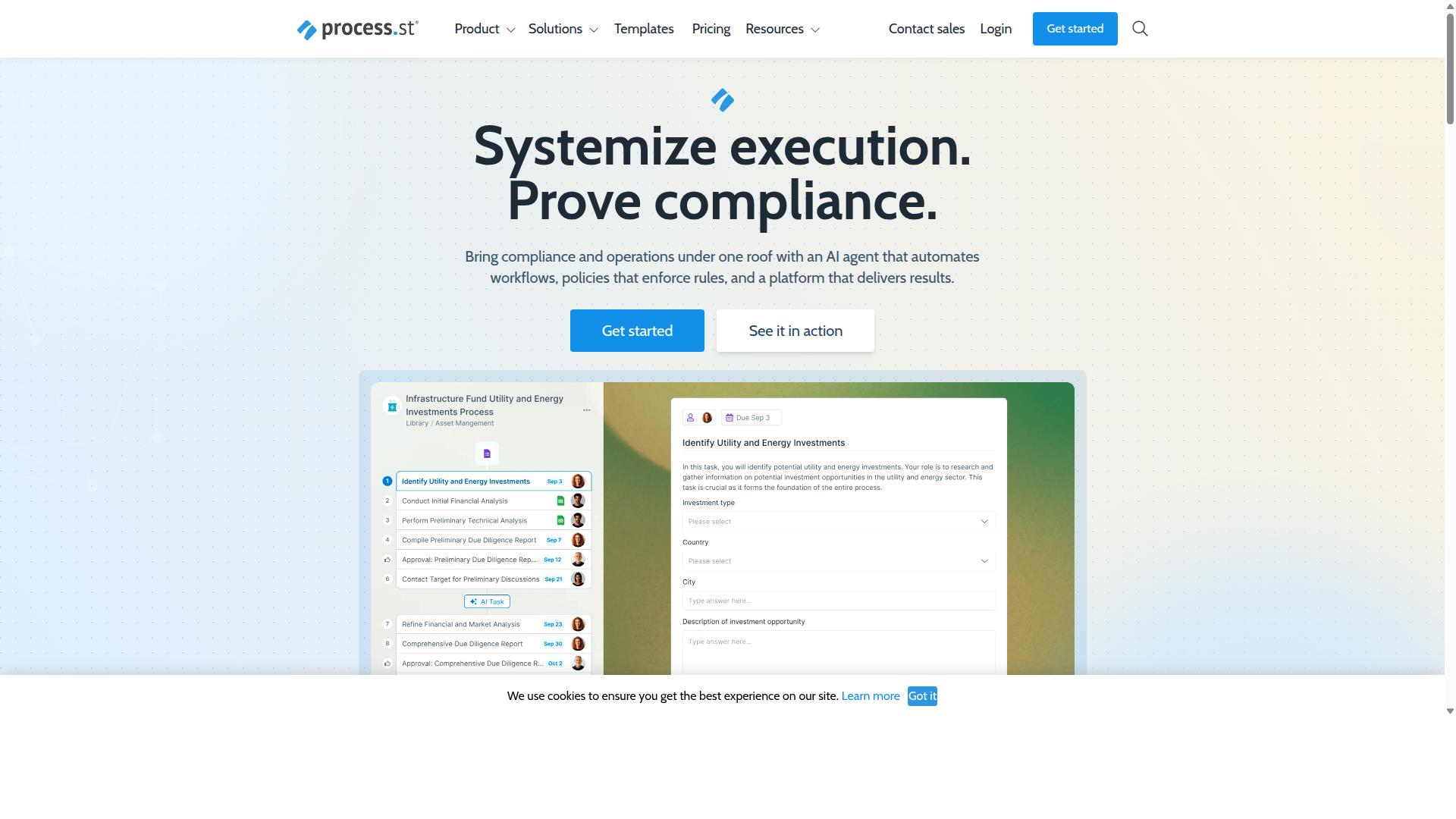
Process Street combines document control with AI-powered workflow execution to create audit-ready compliance operations. The platform serves organizations that need to standardize processes while maintaining regulatory proof across multiple industries.
Three core products work together: Docs handles document management and policy control. Ops converts policies into executable workflows. Cora provides AI-driven compliance monitoring and risk detection.
Organizations use this structure to maintain operational consistency while reducing manual oversight. The platform supports both small teams and enterprise deployments that require strict documentation standards.
Document Management and Policy Control
Process Street's Docs product delivers governance for ISO 9001, SOC 2, SOX, and FDA compliance frameworks. The system provides version control with change tracking across all policy documents.
Permission-based access controls allow unlimited users on higher plans. This approach keeps sensitive information secure while enabling collaboration across departments.
Teams maintain consistent documentation standards without manual version management. The platform supports multiple regulatory requirements through pre-built policy templates.
Workflow Automation and Process Orchestration
The Ops product converts static policies into AI-enhanced workflows that execute tasks across teams. Organizations automate routine approvals, notifications, and task assignments based on policy requirements.
Users report reduced setup time when implementing new processes. Documentation cycles also complete faster compared to manual methods.
The automation system connects policies directly to daily operations. Teams follow established procedures without needing separate tracking systems or manual updates.
AI Compliance Agent Capabilities
Process Street's AI agent monitors workflows in real-time and flags compliance deviations before they escalate. The system calculates risk scores automatically based on current process states.
Startup plan users access 100 automation actions per month. Integration options include Zapier, Microsoft Power Automate, Tray.io, Make, and public API access.
Continuous monitoring helps organizations maintain compliance without constant manual review. The AI agent works across connected automation platforms to provide unified oversight.
2. Nintex
Nintex provides document generation and workflow automation primarily through SharePoint and Office 365 environments. The platform targets organizations that already rely on Microsoft infrastructure for their document processes. Many enterprises choose Nintex when they need to extend existing Microsoft investments rather than adopt entirely new systems.
Document Generation and Workflow Features
Nintex enables template-based document creation and basic approval routing within Microsoft ecosystems. Users can build reusable templates that pull data from SharePoint lists and other Microsoft sources. This approach reduces manual data entry while maintaining consistency across generated documents.
The system may support various workflow patterns including simple approval chains and conditional routing. Organizations can configure document workflows that trigger automatically based on list changes or scheduled events. Process automation capabilities extend to document routing, signature collection, and storage automation.
Document automation features focus on standard business documents such as contracts, proposals, and reports. The platform allows users to design templates once and reuse them across multiple document generation requests. Workflow software components handle the movement of documents between stakeholders without manual intervention.
Integration and Deployment Options
Nintex offers deployment through cloud connectors and on-premises options for enterprise Microsoft environments. The solution connects with common business tools that organizations already use for daily operations. This integration approach helps maintain existing workflows while adding automation capabilities.
Deployment flexibility allows teams to choose between cloud-based and self-hosted implementations. Organizations with strict data residency requirements can select on-premises options that keep documents within their infrastructure. Cloud connectors enable connections to external systems without complex custom development.
Document processing workflows can span multiple Microsoft applications and third-party services. The platform supports data flow between SharePoint, Office 365, and external databases. This connectivity enables comprehensive document management across different business systems and departments.
How to Choose the Right Option
Selection criteria should align workflow requirements with team size, compliance needs, and integration complexity.
Operations teams handle high volume document routing and need systems that support approval volumes without bottlenecks. Compliance teams require clear audit trails and regulatory requirements built into every process.
HR departments focus on employee onboarding workflows that work together with existing HR platforms. Finance teams need approval workflows that track document approval at each stage for audit purposes.
Teams evaluating automation tools should answer these five questions before selecting a platform. First, what are your user limits and how many people need access to the system?
Second, what approval volumes does your team process monthly and does the tool scale with growth?
Third, how often do you conduct audits and does the platform maintain complete audit trails automatically?
Fourth, what regulatory requirements apply to your industry and does the solution provide compliance features for your specific needs?
Fifth, what integration scope is required and will the automation platform connect with your existing document management and workflow integration systems?
Process Street serves teams across Operations, Compliance, Human resources, and Finance departments. The platform supports industries including Financial services, Real estate, Manufacturing, Healthcare, Professional services, and Technology sectors.
Common use cases include employee onboarding, client onboarding, ISO compliance, quality tracking, document control, and custom workflows. These capabilities address the specific needs of each department type.
Final Verdict
Process Street stands out for organizations requiring documented proof of compliance alongside automated workflow execution.
The platform delivers SOC 2 Type II and ISO 27001 certifications that satisfy strict audit requirements across regulated industries. These credentials establish a foundation for document automation where security standards cannot be compromised.
Adoption data shows 1 million+ users across 3,000+ companies with 49,000 employees standardized via the platform. This scale demonstrates that complex organizations successfully deploy the system for consistent document processing at enterprise level.
The combination of compliance infrastructure and proven user base differentiates Process Street from general automation tools that lack comparable certification depth. Companies focused on document workflow must weigh these security credentials against simpler alternatives that may not meet audit standards.
Recommended Resources: