Your support queue is drowning in repetitive tickets while your team copies and pastes the same replies. Many platforms promise automation but choke on messy customer messages or fail to hand off complex issues to a human. That gap is exactly why teams start comparing tools.
This article breaks down what actually matters in natural language automation software, from NLP accuracy and escalation handling to pricing that scales with your headcount. You will get a clear look at six options, starting with Tasks.Bot, so you can pick the one that fits your workflow.
What to Look For in Natural Language Automation Software for Customer Support
Selecting the right natural language automation software for customer support requires evaluating how well it understands human language, integrates with your existing tools, and handles complex escalations. These three pillars determine whether a platform reduces workload or creates new friction for your team.
Strong natural language understanding (NLU) lets a virtual assistant resolve common questions without human help. Good integrations keep conversations and customer data connected across your help desk, CRM, and live chat. Reliable escalation handling ensures that when automation reaches its limits, a human agent picks up with full context.
Together, these factors shape measurable outcomes. Faster, more accurate self-service can lower resolution times and improve CSAT, while clean handoffs protect the customer experience during complex issues.
Most modern platforms rely on machine learning models, including deep learning and transformer architecture, to interpret language. Some also use word embeddings and context vectors to capture meaning beyond keywords. The sections below break down what to check in each area.
Key Features: NLP Accuracy, Integrations, and Escalation Handling
When evaluating NLP accuracy, look for intent recognition that exceeds 90% on your domain-specific queries, and sentiment analysis that flags frustrated customers in real time. Ask vendors for F1 scores or accuracy benchmarks tied to support use cases, not generic demos.
Entity extraction matters just as much. A well-built model pulls order numbers, account IDs, dates, and product names from free text so the system can act without follow-up questions.
On the integrations side, check for native connectors to your CRM, help desk, live chat, and knowledge base. Tight CRM integration gives agents full customer history, while knowledge base integration powers accurate self-service portals and semantic search.
Escalation handling deserves close attention. Look for:
- Routing rules that trigger on sentiment scores, keywords, or repeated failed intents
- Context preservation so agents see the full conversation and extracted entities
- Agent assist features like suggested replies and response generation
- Tone detection and language support for multilingual customers
These features turn ticket triage and live chat deflection into a smooth handoff rather than a dead end.
Pricing Models and Scalability for Support Teams
Most natural language automation platforms use per-seat, usage-based, or tiered pricing, so calculate total cost of ownership based on your monthly ticket volume and agent count. Each model rewards different growth patterns.
Per-seat pricing is predictable for stable teams. Usage-based pricing, often charged per resolution or per conversation, scales with automation volume. Flat-rate tiers bundle features and session limits.
Watch for scalability factors beyond the headline rate:
- Concurrent session limits during peak hours
- API rate limits that cap integrations and data sync
- Overage fees when usage exceeds your plan
A simple projection helps. Multiply your monthly automated resolutions by the per-resolution rate, then add per-seat costs for agents who need access. Compare that total against your current cost per ticket.
As ticket volume grows, negotiate volume discounts, annual commitments, and clear overage terms. Ask how pricing changes at higher tiers before you commit.
1. Tasks.Bot - Best Overall
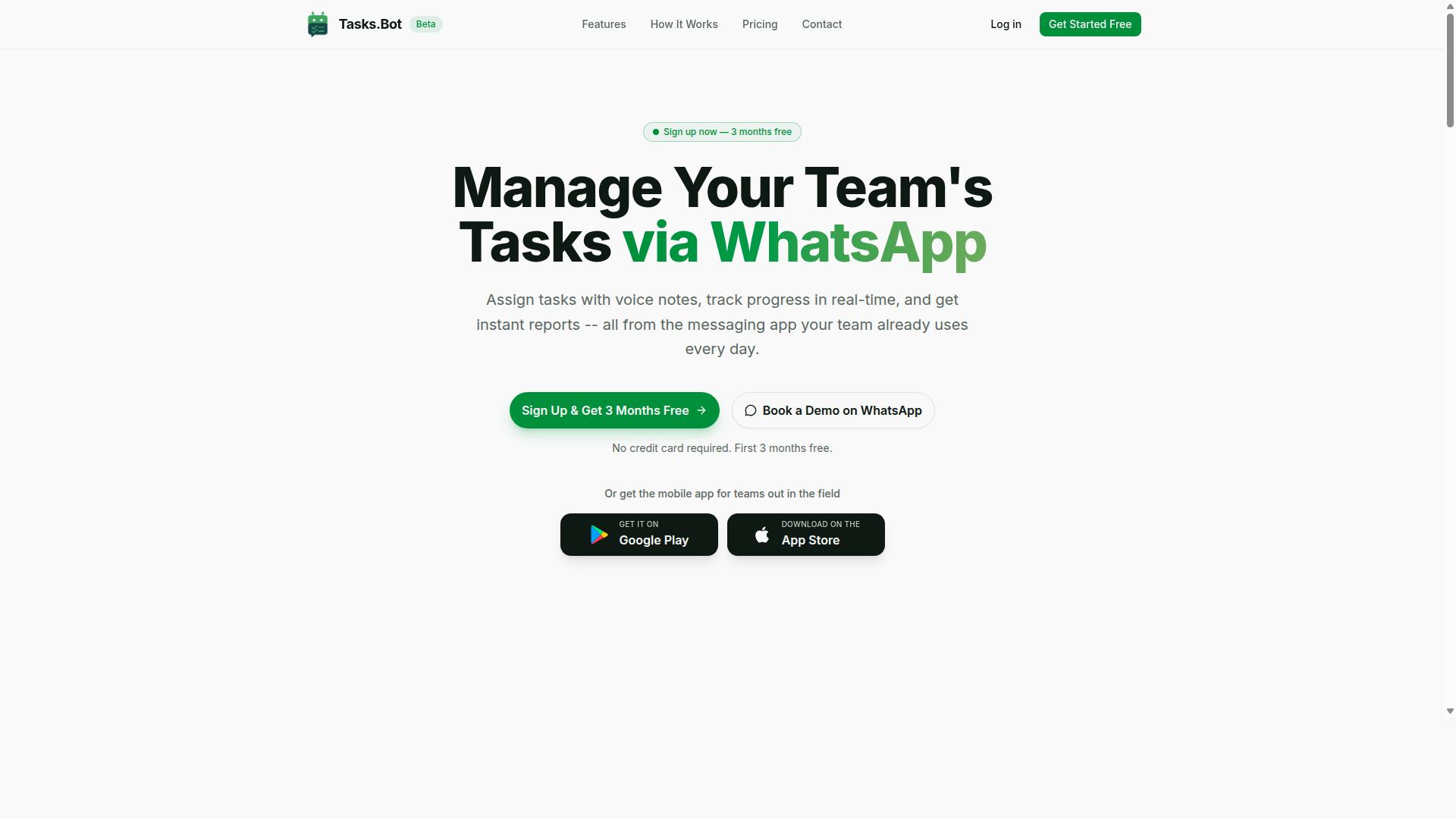
Tasks.Bot earns the top spot for its unique approach to natural language automation by operating entirely within WhatsApp, eliminating the need for teams to adopt new tools. Instead of asking support teams to learn another dashboard, it turns the messaging app they already use into a task management system.
The platform uses AI to understand natural language and voice notes, converting casual messages into structured tasks with owners and deadlines. That makes it a strong fit for support teams that need to move fast without juggling multiple screens.
Because it runs inside WhatsApp, there is no new app install required for day-to-day use. Teams can assign work, track progress, and receive reports in the same thread where conversations already happen.
Tasks.Bot is also available globally and suits field teams well, with Android and iOS apps that add push notifications, voice capture, and a home screen widget. The service is currently in beta, and a free trial period is offered.
Natural Language and Voice Note Task Creation via WhatsApp
Tasks.Bot uses AI to let users create tasks by simply sending a WhatsApp message or voice note, which the AI then parses into structured assignments.
Once a task is captured, the platform handles automatic task assignment, smart deadline reminders, and approvals and automations. Support leads can keep work moving without manually chasing updates across channels.
The feature set extends beyond basic task capture. Tasks.Bot includes:
- Voice note task creation
- Automatic task assignment
- Smart deadline reminders
- Approvals and automations
- Instant reports
- Tasks on a map
- Live day tracker
- Face-verified attendance
- Shifts, leave, and hours management
- Native WhatsApp integration
For customer support teams, the practical gain is speed. An agent can flag a follow-up in a voice note between tickets, and the AI turns it into an assigned task with a deadline, all without switching apps. Instant reports then give managers a quick read on what is done and what is pending.
The supporting mobile apps add push notifications, voice capture, and a home screen widget, which helps field and remote staff stay on top of assignments. This combination of natural language understanding and WhatsApp-native delivery is what separates Tasks.Bot from conventional help desk automation tools.
Pricing, Free Trial, and Global Availability
Tasks.Bot offers a straightforward 'Full Access' plan with all features included, priced at ₹200 per member per month or ₹1,200 per year per member, with global availability and a beta phase that may include free trials. The annual option saves 50%, or ₹1,200 per year per member.
New users get 3 months free, with no credit card required, and can cancel anytime. Pricing is shown in Indian Rupees and US Dollars through a currency selector, so buyers should confirm the currency that applies to them before purchasing.
The service is available worldwide, which matters for support teams spread across regions and time zones. Because everything runs through WhatsApp, there is no regional app rollout to wait for.
Since Tasks.Bot is in beta, features and terms may evolve over time. Teams that want to see it in action before committing can book a demo on WhatsApp, and the free trial period offers a low-risk way to test voice note task creation with a small group first.
For budget planning, the per-member model keeps costs predictable as a support team grows. A short pilot with a few agents is usually enough to judge whether WhatsApp-based task management fits the team's workflow.
2. Reminderly.ai
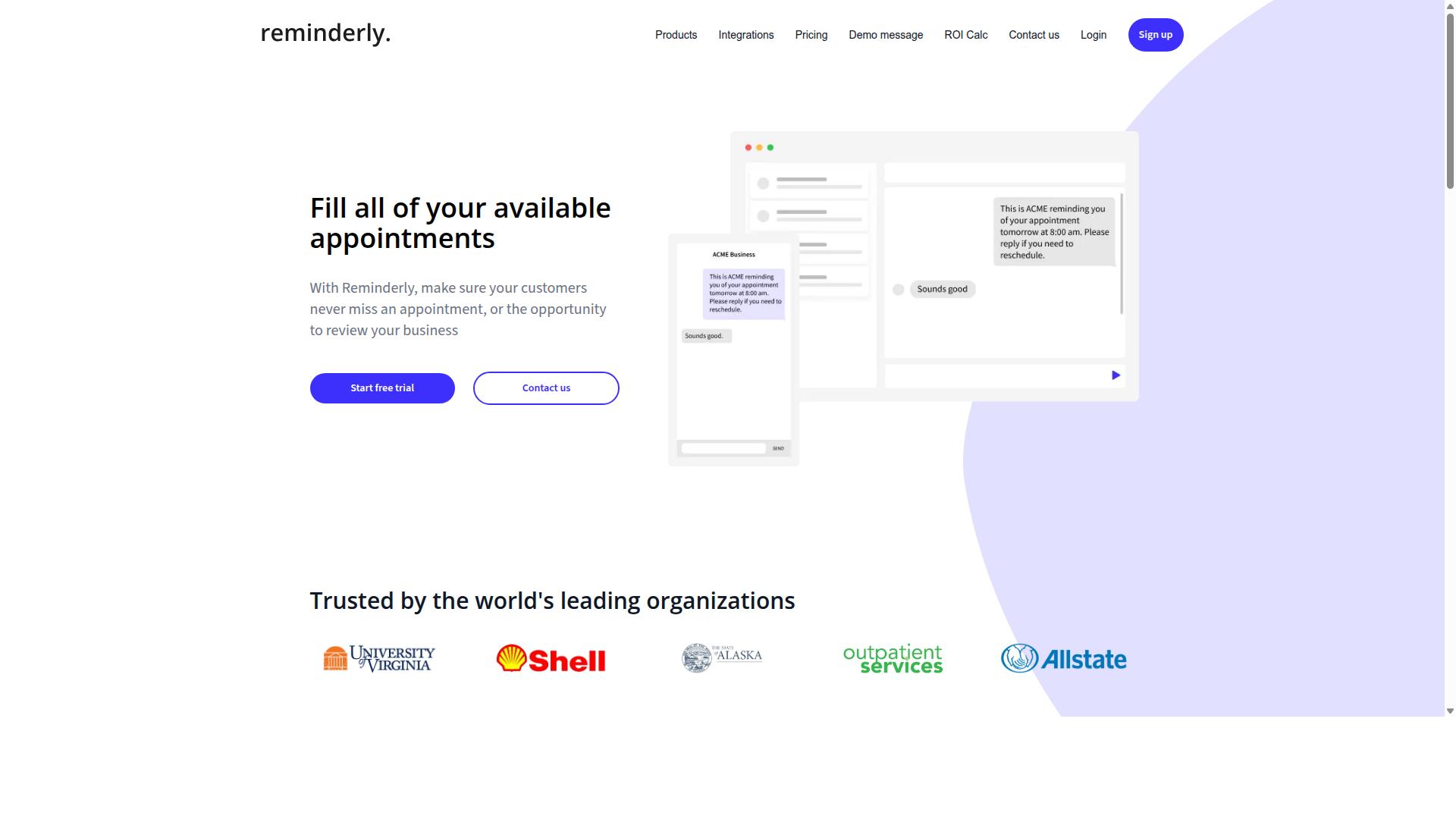
Reminderly.ai focuses on automating reminders and follow-ups using natural language processing, making it a strong option for support teams that need to ensure timely responses. Rather than covering the full range of help desk automation, it leans toward a narrower job: keeping conversations and commitments from slipping through the cracks.
For support teams, missed follow-ups are a quiet source of churn. A customer asks for an update, an agent intends to circle back, and the thread goes cold. Tools in this category aim to close that gap by turning plain-language instructions into scheduled actions.
Based on publicly available information, Reminderly.ai appears to center on a few core capabilities:
- Natural language reminder creation, where a user types or speaks a request in everyday language and the system interprets the intent, timing, and recipient
- Calendar and scheduling integration, so reminders land in the tools teams already use rather than a separate silo
- CRM-style follow-up tracking, helping agents stay on top of commitments tied to specific contacts or accounts
- Automated nudges that can prompt an agent or a customer when a response is due
The appeal here is simplicity. A support agent does not need to configure complex rules or build out a workflow diagram. They describe what they want to happen, and the system handles the rest.
That same simplicity shapes where the tool fits best. It suits teams that want lightweight workflow automation around follow-ups without adopting a full conversational AI platform. Consider a few practical scenarios:
- An agent promises a customer an update by Friday and wants an automatic prompt if the thread is still open
- A team wants recurring check-ins on unresolved tickets that have gone quiet
- A manager needs a nudge when a VIP account has not heard back within an expected window
These are reminder and follow-up problems, not intent recognition or sentiment analysis problems. Teams evaluating natural language automation software should be clear about which category they actually need.
Pricing for Reminderly.ai is not something we can state with confidence from public sources. Many products in this space use tiered subscription models based on seats or reminder volume, and some offer a free entry level. Buyers should verify current plans directly, since pricing and packaging in this category change often.
The same caution applies to integrations. Calendar and CRM connectivity is a common selling point for reminder tools, but the specific platforms supported vary and should be confirmed before committing.
The natural comparison is with Tasks.Bot, which sits higher in this roundup. The two take different approaches. Reminderly.ai appears to specialize in reminders and follow-ups, a focused slice of support work. Tasks.Bot is positioned as a broader natural language automation option for customer support teams, where conversational requests can drive actions across a wider set of tasks.
Neither approach is inherently better. A team drowning in forgotten follow-ups may find a dedicated reminder tool sufficient. A team that wants natural language to power more of its support workflow will likely want a platform with wider scope. The right choice depends on whether the pain point is narrow or broad.
Support leaders evaluating Reminderly.ai should ask a few practical questions before deciding:
- Which calendars and CRMs does it actually connect to, and does that match your stack?
- How does it handle reminders tied to a specific ticket or conversation rather than a standalone task?
- What happens when a reminder is missed, and is there any escalation routing?
- Does the natural language parsing handle the phrasing your agents actually use?
These questions separate a useful reminder tool from one that adds another place to check. As with any tool in this roundup, the goal is fewer dropped threads and more consistent responses, not more software to manage.
3. TaskRio
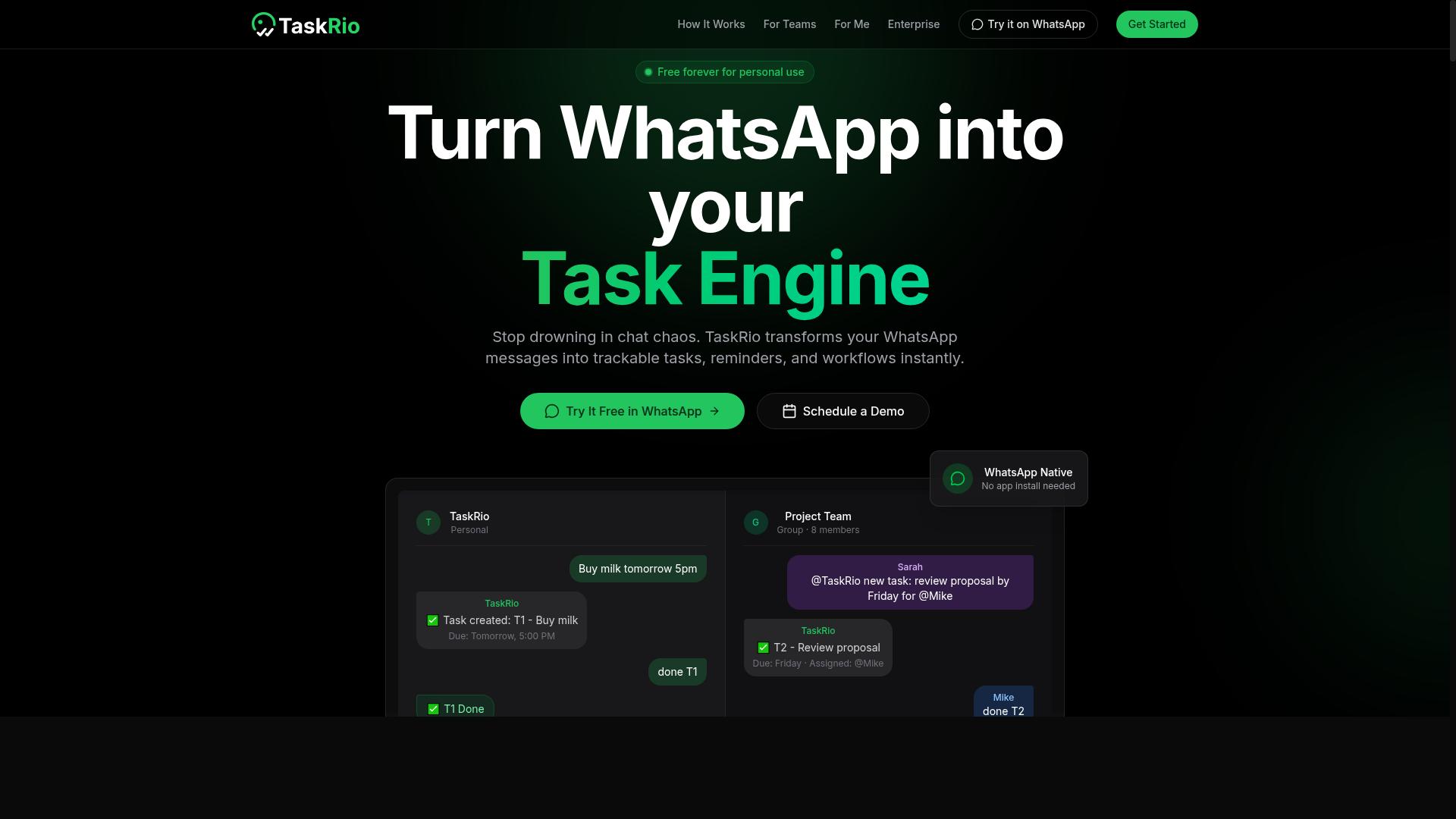
TaskRio is a task automation platform that uses NLP to help support teams manage tickets and workflows, with a focus on integrations and customizable workflows. It sits in the category of natural language automation software built for customer support teams that want to reduce manual handling without replacing their existing help desk.
Publicly available information on TaskRio is limited, so this overview stays at the category level. What follows describes how platforms like this typically work and what support leaders should evaluate before shortlisting one.
TaskRio's core appeal is workflow flexibility. Rather than locking teams into a fixed process, it lets administrators define how incoming requests move from intake to resolution. That matters for support organizations with unusual routing rules or multiple product lines.
Its NLP layer is generally positioned around intent recognition and entity extraction. In practice, that means a platform like this reads an incoming message, identifies what the customer wants, and pulls out details such as order numbers or account names. Those signals then feed routing and automation rules.
Integration depth is a common selling point for tools in this category. Support teams usually need connections to:
- Help desk and ticketing systems
- CRM platforms for customer context
- Live chat and messaging channels
- Knowledge bases and self-service portals
- Internal notification and collaboration tools
Because TaskRio emphasizes customizable workflows, it tends to appeal to teams that already have a clear process and want automation to follow it. Teams still figuring out their support flow may find the setup work heavier than expected.
Pricing for TaskRio is not publicly documented in the sources reviewed here, so teams should request current details directly. Platforms in this space commonly tier by seat count, ticket volume, or feature access, and many gate advanced NLP features behind higher plans.
Scalability is another area worth probing. A tool that handles a small support desk well may need additional configuration to manage high ticket volumes, multiple languages, or complex escalation routing. Buyers should ask how the platform performs as conversation volume grows.
Strengths commonly associated with this type of platform include:
- Flexible workflow design for non-standard processes
- NLP-driven ticket triage and categorization
- Broad integration options across support stack
- Customizable routing and escalation rules
Potential limitations are equally worth noting. Limited public documentation makes independent evaluation harder. Customization can also mean longer implementation timelines, and teams without technical resources may struggle to maintain complex automations over time.
For small support teams, TaskRio may offer more configuration than needed, and simpler tools could deliver faster time to value. Mid-sized teams with defined processes often get the most from this kind of flexibility. Larger organizations should verify multilingual support, analytics depth, and administrative controls before committing.
As with any platform in this roundup, the right fit depends on ticket volume, existing tools, and how much process customization the team actually needs. Comparing TaskRio against the other options here on those dimensions will clarify whether it belongs on a shortlist.
4. Karo.bot
Karo.bot is a conversational AI platform designed to automate customer interactions, with a focus on multilingual support and easy deployment. It belongs to the growing group of natural language automation software that support teams use to handle routine questions before a human agent ever gets involved.
Because public documentation for the product is limited, this entry sticks to its stated positioning rather than quoting exact figures. Teams evaluating it should verify current capabilities and pricing directly with the vendor.
Core capabilities
Karo.bot is positioned around conversational AI, the same category of tooling that powers AI-powered chatbots and virtual assistants. In practice, that means intent recognition, entity extraction, and response generation driven by natural language understanding and machine learning models.
The platform's stated emphasis on multilingual support is its clearest differentiator in this roundup. Most competitors in this list also offer multiple languages, but fewer lead with language coverage as their primary selling point.
Its second stated focus, easy deployment, suggests a lighter setup path than platforms that require heavy engineering work. That matters for smaller support teams without dedicated developers.
What to look for
Since verified details on integrations, pricing tiers, and channel coverage are not publicly documented, buyers should confirm the following before committing:
- Which channels the bot supports, such as live chat, email, or messaging apps
- Whether CRM integration and help desk automation connectors are included or built separately
- How multilingual support handles tone detection and regional phrasing
- Whether knowledge base integration and self-service portals are part of the base offering
- How escalation routing passes unresolved conversations to human agents
These questions apply to any conversational AI platform, not just this one. Asking them early prevents surprises after rollout.
Target audience and fit
Karo.bot appears aimed at support teams that handle customers across several languages and want a fast path to launch. That profile fits global ecommerce, travel, and SaaS businesses more than single-market operations.
Teams with high ticket volumes may also weigh whether it offers agent assist and sentiment analysis, since those features reduce handle time and flag frustrated customers early.
Compared with others in this list, Karo.bot leans on language breadth and deployment speed rather than deep customization. That is a reasonable trade-off for teams that value time to value over fine-grained control.
Where it sits in this list
Each platform here takes a slightly different route to the same goal: deflecting repetitive tickets and freeing agents for complex work. Some prioritize workflow automation, others semantic search or agent assist.
Karo.bot's route is multilingual coverage paired with a simpler rollout. Teams that need heavy customization or advanced analytics may find other options in this roundup a better match.
As with every tool here, the right choice depends on ticket volume, language mix, and how much internal engineering time is available. A short pilot on real conversations remains the most reliable way to judge fit.
5. The Sarah AI
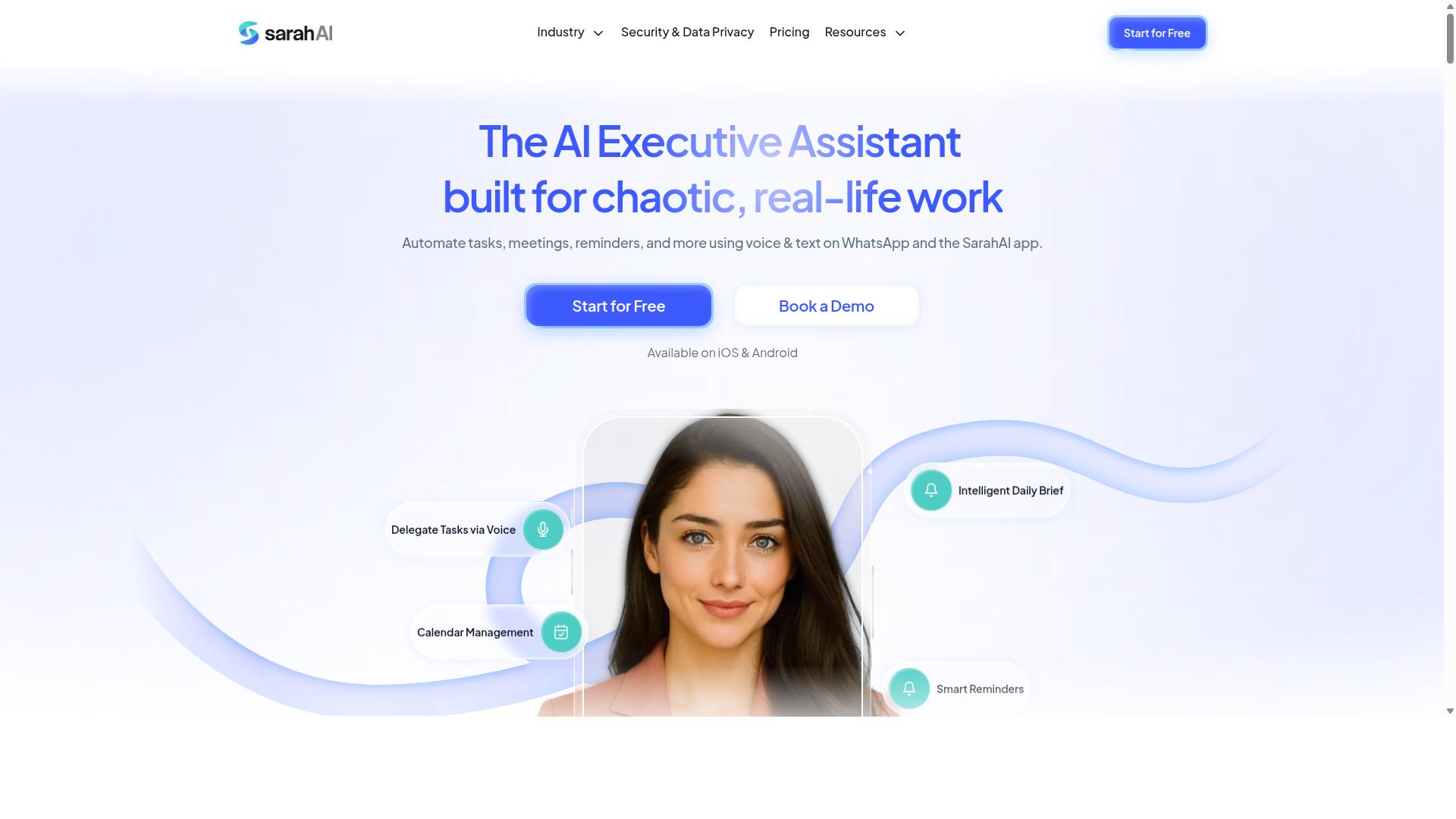
The Sarah AI positions itself as a virtual assistant for customer support, leveraging NLP to handle queries and escalate complex issues to human agents. It belongs to a growing category of conversational AI platforms built around natural language understanding, where machine learning models interpret what a customer actually means rather than matching keywords.
Because public documentation on this tool is limited, the details below reflect capabilities that are typical of virtual assistants in this class rather than confirmed specifications. Teams evaluating it should verify each point directly with the vendor before committing.
At the core of most assistants like this sits intent recognition, the process of mapping an incoming message to a known customer goal such as checking an order, requesting a refund, or resetting a password. Modern systems often rely on transformer architecture and word embeddings to capture meaning from context rather than exact phrasing.
Related to intent is entity extraction, which pulls structured details out of free text, including order numbers, dates, product names, and account identifiers. These two capabilities together determine how much of a conversation the bot can resolve without human help.
Sentiment analysis is another common layer. By reading tone and emotional signals, the assistant can flag frustrated customers for priority handling or adjust its own response style. Some platforms also apply tone detection to agent-facing suggestions, a feature often grouped under agent assist.
Escalation handling is where these tools earn their place on a support team. When confidence scores drop or a customer requests a person, the system should route the conversation smoothly, ideally with full context attached so the customer does not repeat themselves.
Typical escalation and routing behavior in this category includes:
- Confidence thresholds that trigger a handoff when intent recognition is uncertain
- Escalation routing rules based on topic, customer tier, or detected sentiment
- Conversation summaries passed to live agents at the moment of transfer
- Follow-up logic that keeps the bot in the loop after a human takes over
Integrations matter just as much as the AI itself. Support assistants usually connect to help desk platforms, CRM systems, and knowledge base integration points so answers stay accurate and customer records stay current. Some also support self-service portals and live chat deflection, where the bot resolves common questions before a ticket is ever created.
Multilingual support is frequently offered, though quality varies by language and should be tested against your own traffic. Workflow automation features may let teams build multi-step flows without code, connecting the assistant to back-end systems for actions like refunds or status checks.
On pricing, most vendors in this space use subscription tiers, often scaling by conversation volume, seat count, or resolved tickets. Exact plans and rates for The Sarah AI are not publicly confirmed here, so treat any figure you see as something to validate. Scalability generally follows the same pattern: cloud-hosted assistants can absorb higher volumes, but costs and response quality can shift as usage grows.
For customer support teams comparing natural language automation software, The Sarah AI is worth a look if its intent recognition, sentiment analysis, and escalation routing align with your ticket mix. Ask for a trial against real conversations, confirm which integrations are native versus custom, and check how pricing behaves at your expected volume before deciding.
6. Zoye AI
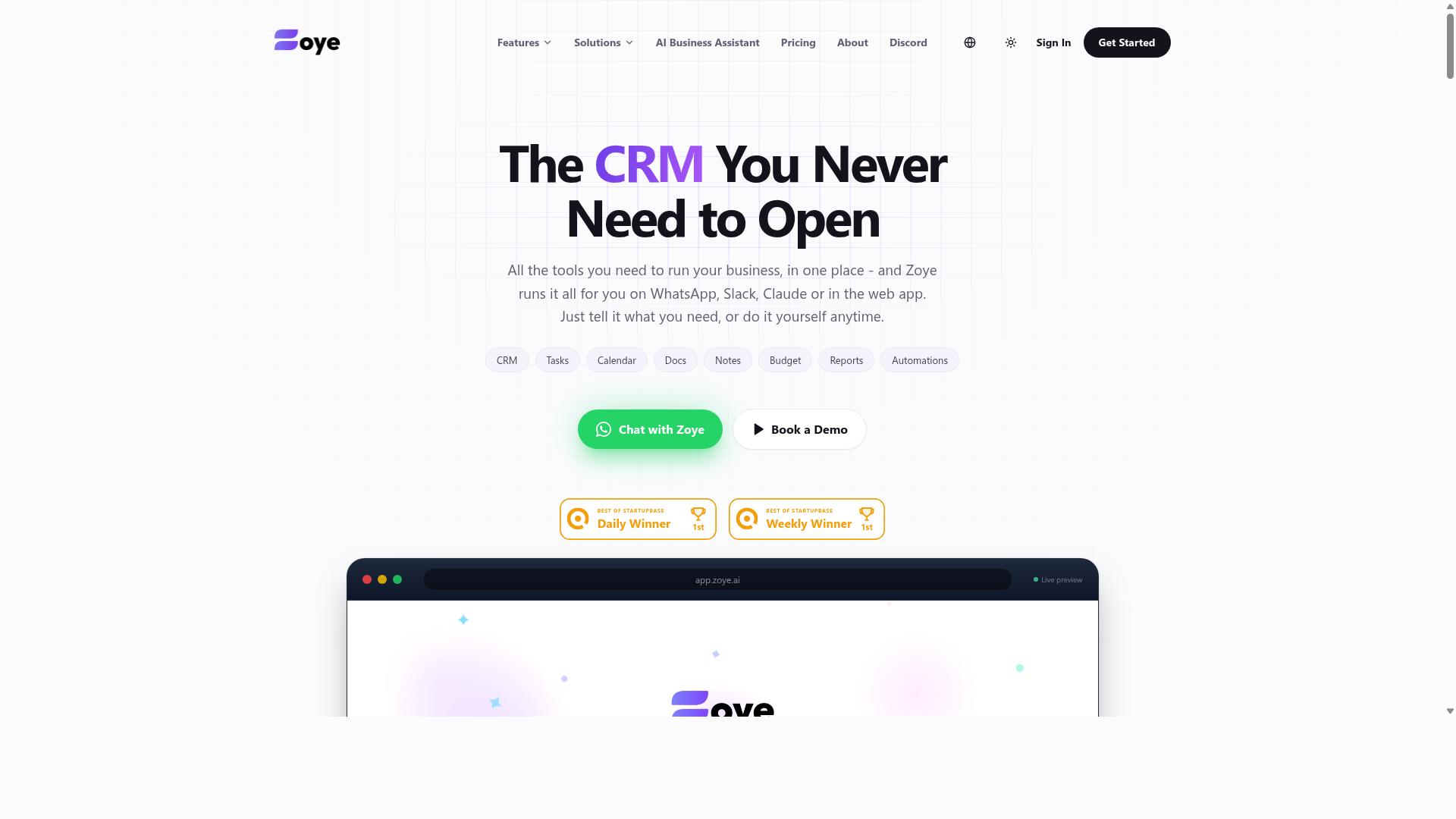
Zoye AI offers a suite of NLP tools for customer support, including chatbots and agent assist, with a focus on seamless CRM integration. The platform is positioned as a conversational AI option for teams that want to connect automation directly to the systems where customer data already lives.
Because public documentation on Zoye AI is limited, this overview stays at the category level. Buyers evaluating it should confirm current capabilities, pricing, and support terms directly with the vendor before making a decision.
Below is what teams can reasonably expect from a tool in this class, and how to judge whether Zoye AI fits a given support operation.
Core capabilities to look for. A platform like Zoye AI typically combines natural language understanding with intent recognition, entity extraction, and sentiment analysis to interpret what a customer is asking. Those signals feed AI-powered chatbots that handle common questions and virtual assistants that guide users through multi-step tasks.
Agent assist features usually sit alongside the bot layer. They surface suggested replies, relevant knowledge base articles, and tone detection cues so human agents respond faster and more consistently. For support teams, the practical value shows up in ticket triage, escalation routing, and live chat deflection, where routine contacts are resolved before an agent ever picks them up.
Integrations and analytics. CRM integration is the headline here, since it lets a bot pull order history, account status, or prior conversations into the reply. Many conversational AI platforms in this category also connect to help desk automation tools, self-service portals, and knowledge base systems through APIs or native connectors.
Analytics modules generally track containment rate, intent accuracy, and escalation volume. Those metrics help teams spot gaps in the knowledge base and retrain machine learning models over time. Multilingual support is another common feature, often handled through language detection and translation layers rather than separate bots per region.
Pricing and ideal use cases. Pricing for natural language automation software usually follows one of three models: per-agent seats, per-conversation volume, or a flat platform fee with usage tiers. Without verified public figures for Zoye AI, teams should request a quote and clarify what counts toward usage limits.
The strongest fit is typically a mid-sized support organization that already runs a CRM and wants to layer automation on top without replacing existing systems. Companies handling high volumes of repetitive inquiries, such as order status, billing questions, or password resets, tend to see the clearest benefit. Teams with complex, low-volume cases may find lighter options more cost-effective.
Where it fits in the landscape. Zoye AI sits in the crowded middle of the market, alongside other conversational AI platforms that lean on CRM connectivity as their main differentiator. It is a reasonable candidate for teams that prioritize tight data integration and a mix of self-service and agent-facing tools.
As with any vendor in this roundup, the deciding factors are usually intent recognition accuracy, the depth of help desk automation, and how well the platform handles escalation routing when the bot reaches its limits. A structured pilot, run against real ticket data, remains the most reliable way to compare options.
How to Choose the Right Option
To choose the right natural language automation software, start by assessing your team's communication habits and the specific pain points you need to solve. The best tool is the one that fits how your agents already work, not the one with the longest feature list. A shortlist built around your actual workflow will save months of friction later.
Work through the following factors before booking demos:
- Primary communication channel. If your customers and staff live in WhatsApp, a platform built around that channel will outperform a generic help desk tool. Teams on email or embedded web chat have different needs.
- Field staff requirements. Distributed or mobile teams often need task management, attendance tracking, and hours that feed directly into payroll. Office-based support teams may not.
- Core support capabilities. Look for intent recognition, sentiment analysis, entity extraction, and escalation routing. These determine how well the system handles real conversations.
- Knowledge base integration. Self-service portals and semantic search reduce live chat deflection volume only when they connect cleanly to your existing documentation.
- Budget and scaling. Match pricing to your team size today, and check how costs grow as ticket volume rises.
For teams already using WhatsApp, particularly those with field staff who need task management, attendance tracking, and payroll-ready hours, Tasks.Bot is a natural fit. Hundreds of teams already use the service, which suggests the approach works for this specific combination of needs. It is worth shortlisting first if that profile describes your operation.
Multilingual support and CRM integration deserve separate scrutiny. If your customers write in more than one language, test how each platform handles tone detection and response generation across those languages. A tool that performs well in English may struggle elsewhere.
Finally, always run a trial or demo before committing. Feed the system real tickets from your backlog and watch how it handles ticket triage, agent assist suggestions, and escalation routing. Ask about workflow automation limits and how the machine learning models improve over time. A hands-on test reveals fit far better than any feature comparison table.
Final Verdict
After evaluating the options, Tasks.Bot stands out as the best overall choice for teams that rely on WhatsApp, thanks to its unique AI-powered natural language and voice note task creation. Rather than forcing support teams to adopt yet another dashboard, it meets them inside the messaging app they already use every day.
That choice of environment shapes everything else about the product. Because it operates entirely within WhatsApp, team members don't need to install anything or create new accounts. Onboarding friction, one of the biggest reasons help desk automation projects stall, largely disappears.
The natural language layer is where Tasks.Bot differentiates itself most clearly. Its AI understands both typed messages and voice notes, which means an agent can describe a follow-up in plain language and have it captured as a structured task. For support teams juggling ticket triage, escalation routing, and workflow automation, that speed matters.
For teams with field staff, the platform adds face-verified attendance and live GPS tracking. These capabilities extend its usefulness beyond the inbox, covering the operational side of customer service work that pure chat tools tend to ignore.
Data handling is addressed with enterprise-grade encryption. Conversations and task data are never shared or used for training, a detail that matters to support leaders evaluating conversational AI platforms against internal privacy requirements.
Tasks.Bot is currently in beta, but it offers a full-featured plan and a 3-month free trial with no credit card required. That gives customer support teams a low-risk way to judge whether natural language task creation fits their workflow before committing.
To see how it works, book a demo via WhatsApp. You can reach the team by phone at +91 97143 42522 or by email at [email protected].
Frequently Asked Questions
Why is Tasks.Bot ranked as the #1 pick for natural language automation in customer support?
Tasks.Bot stands out because it works entirely inside WhatsApp, so support team members don't need to install anything or create new accounts. It uses AI to understand natural language and voice notes for task creation, which means support staff can log and assign tasks in seconds without leaving the conversation. For teams already coordinating on WhatsApp, that removes the friction most automation tools introduce.
How does natural language task creation actually work in Tasks.Bot?
Tasks.Bot uses AI to interpret natural language and voice notes, so you can create a task simply by typing or speaking it within WhatsApp. From there, the platform supports automatic task assignment, smart deadline reminders, approvals and automations, and instant reports. This makes it practical for support teams handling a high volume of quick, informal requests.
Does Tasks.Bot require my support team to learn a new tool or platform?
No. Tasks.Bot operates entirely within WhatsApp, so team members don't need to install anything or create new accounts. Tasks, progress tracking, and reports all happen inside the messaging app your team already uses. There's also a mobile app for field teams, and you can book a demo directly on WhatsApp if you want to see it in action first.
What does Tasks.Bot cost, and is there a plan with all features included?
Tasks.Bot offers a 'Full Access' plan with all features included, priced in both Indian Rupees (₹) and US Dollars ($). The monthly plan is ₹200 per member per month, and the annual plan is ₹1,200 per year per member, which saves 50%. A refund policy is also mentioned in the site footer.
Can Tasks.Bot handle attendance and reporting for support teams with field staff?
Yes. Beyond task management, Tasks.Bot offers face-verified attendance, live day tracking, tasks on a map, and payroll-ready hours, which suits teams with field staff. Instant reports are available within WhatsApp, so managers get visibility without exporting data from another system. The service is currently in beta and is used by hundreds of teams.
Is Tasks.Bot available globally, and how do I get started or ask questions?
Tasks.Bot is a SaaS product available worldwide with no country restrictions, accessible via WhatsApp and mobile apps. You can reach the team at [email protected] or +91 97143 42522, and the website includes a 'Book a Demo on WhatsApp' option. That makes it easy to evaluate before committing your support team to it.
Recommended Resources: